- Using this screen
- Details of this screen
Details of the ERP Registration Selection screen
|
|
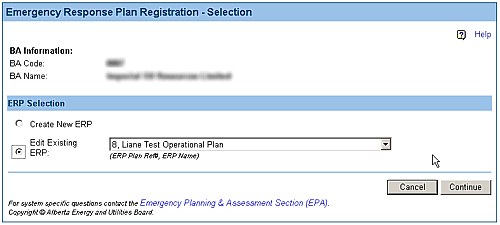
A sample of the Emergency Response Plan Registration Selection screen. |
Screen Item Descriptions
Each item on this screen is listed and described below.
- Create new ERP option
- Select the Create New ERP option to begin a new ERP registration form.
- Edit Existing ERP option
- Select the Edit Existing ERP option to resume working on an ERP registration form that you saved. you will need to select the saved ERP registration using the drop-down list.
- saved ERP drop-down list
- Click on the drop-down list button and select the saved ERP registration form you wish to resume working on. You must select the Edit Existing ERP option to access this list.
- Continue button
- Click on the Continue button once you have made your selection. The Emergency Response Plan Registration screen will open.