DDS Online Guide
DDS Online Guide
The Interface

New to DDS? Learn about the DDS interface.
Things have changed
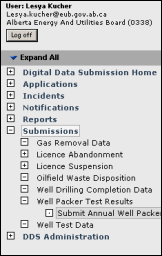
Are you use to the old DDS system? See how to use the new navigator.
Not all Browsers are the same
Find out what we are doing to support the tools you use, and why this is a challenge with Internet Browsers.
Welcome to the Digital Data Submissions (DDS) online guide. This guide is designed to assist you as you prepare various communications with the ERCB using the DDS Internet system.
|
|
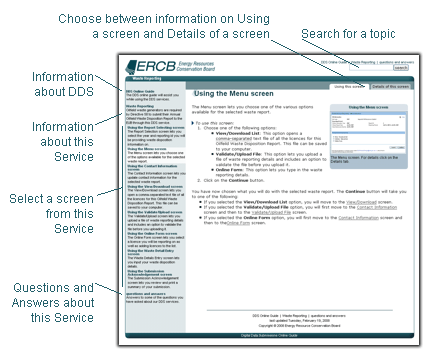
Highlighted here are the major components of the DDS online guide. |
Using the online guide
The DDS online guide enables you to select the sections of the guide you wish to read, select specific topics within these sections, select usage or descriptive details, as well as allowing you to find topics by search on keywords.
Guide Navigation
You can use the navigator on the left to open up sections of this guide and select specific topics. The open topic is highlighted in the navigator. Included in these sections are background information to DDS and this guide, answers to questions about DDS or this DDS service, and information about the service itself.
Topic Navigation
The DDS online guide provides two types of information for most of the DDS screens. These are accessed using the tabs Usage and Details that appear at the top of the screen topics.
Using
The Using topics describe how to use each screen.
Details
The Details topics show a larger view of the screen and provide detailed information about each field on the screen.
Topic Search
You can search for specific topics using the Search area at the top of each screen.