- Using this screen
- Details of this screen
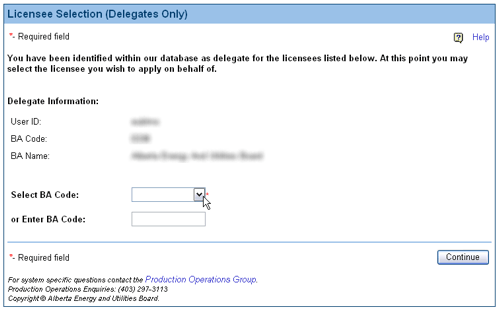
Details of the Licensee Selection screen
|
|
A sample of the Licensee Selection screen. |
Screen Item Descriptions
Each item on this screen is listed and described below.
- Select BA Code
- Type in the BA code of the company on whose behalf you will be acting, into the Select BA Code entry field. Press Enter to verify the BA code. If the BA code is valid, the name of the company will be shown in the BA Name field.
Alternatively, use the Search button to select a BA. - Search button
- Click on the Search button to select a BA Code from a list of BAs matching a set of criteria. This opens the BA Advanced Search screen.
Alternatively, type in the BA code is the BA Code entry field and press Enter. - Continue button
 Once you have entered and verified the BA Code, click on the Continue button to continue using DDS as the selected licensee.